
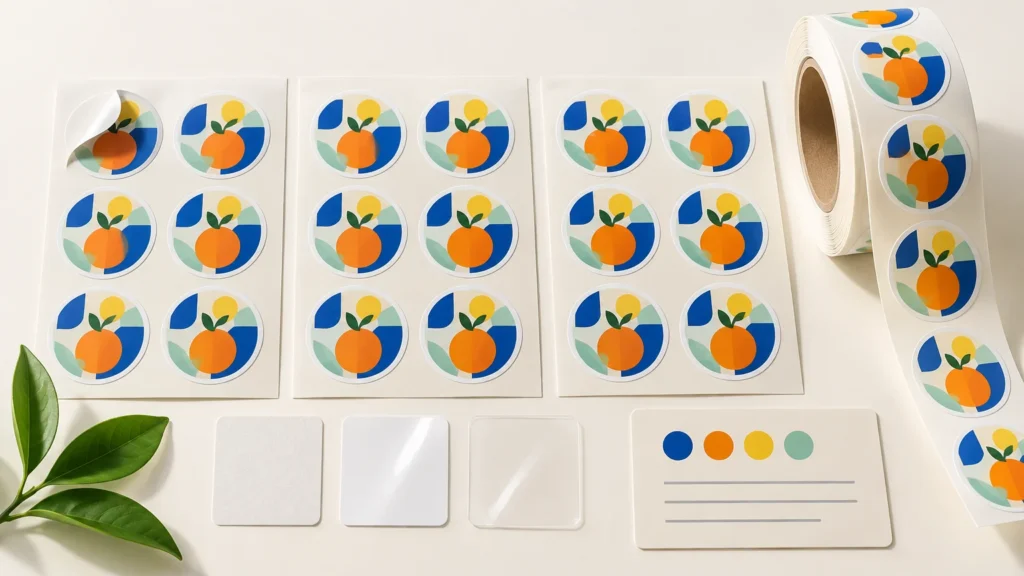
TLDR: Sticker reorder consistency depends on repeating the complete production specification, not merely uploading the same logo again. Keep the original order reference, approved artwork, cutline, final dimensions, product type, material, finish and roll configuration. Verify that the correct file version is being used, and request a new proof whenever artwork or an important physical specification changes. Expect a close repeat, but do not treat a digital proof as a guarantee of perfectly identical physical color.
A reorder can look straightforward because the design has already been printed once. The complication is that the design file represents only part of the finished item. A 3-inch vinyl sticker with a matte finish is a different production specification from the same artwork printed smaller, on clear material or with a gloss finish. The cutline, surface appearance and perceived color can all change.
The practical goal is to make every controllable detail explicit. That gives the printer a reliable reference and helps you separate an actual production problem from a difference caused by a changed file, material, finish or application setup.
What consistent sticker reorders do—and do not—mean
A consistent reorder should follow the previously approved design and the specifications selected for the new order. That includes the intended dimensions, shape, material, finish and delivery format. For roll labels, it may also include orientation and other finishing instructions that affect how the labels feed into an applicator.
Consistency does not mean that two batches are guaranteed to be visually identical under every light or on every surface. Printed color can be influenced by the material beneath the ink, the finish over it, viewing conditions and the range of colors the print process can reproduce. Minor production variation can also exist even when the same general process is followed.
Print standards exist partly to define and control production variables. For technical background, ISO 12647-1 describes parameters and measurement methods for process control in proofs and production printing. That does not establish a batch-matching promise for a particular sticker order, but it helps explain why repeatability is managed through documented processes rather than assumed from what appears on a monitor.
Start with the original approved order
Use the original order number or another clear order reference whenever possible. YouStickers states that it retains approved artwork and cutlines to make reorders and size changes easier. That stored production artwork is valuable because it identifies what was actually approved, which may not be identical to the file sitting in your current project folder.
A printer-created cutline is especially important for contour-cut artwork. It defines where the machine is intended to cut around the design. Rebuilding that path from scratch can change the border width, corner treatment or small contours, even if the visible artwork is unchanged.
Do not assume, however, that storing artwork and cutlines locks every other specification. The original material, finish, dimensions and roll setup should still be confirmed on the reorder. Stock availability and product options may also change over time.
Control the artwork version
Before sending a replacement file, compare it with the previously approved version. Look beyond the obvious logo or illustration. A newer file may contain a revised URL, altered color value, moved cutline, different transparency, substituted font or updated QR code.
Use descriptive filenames rather than labels such as final, final-new or final-2. A name that includes the design, dimensions and approval date is easier to audit. Preserve an approved master separately from editable working files. If you must prepare a revised version, the print-ready sticker file checklist explains the production details worth checking before upload.
Reconfirm every physical specification
The most reliable reorder record describes the physical item, not just the art. Save the following information with the invoice or purchase record:
- Product format: individual sticker, kiss cut, sticker sheet, bumper sticker or roll label
- Final width and height, including the units of measurement
- Shape and approved cutline or border treatment
- Material or facestock selected for that specific product
- Matte, gloss or another selected finish
- Any specialty-material or white-underprint instructions
- Quantity and packaging details that matter to your workflow
- For roll labels, the intended feed direction and application orientation
- Original order number, approved proof and final artwork filename
Material and finish are not cosmetic footnotes. Printing the same colors on white vinyl, clear material or a reflective specialty base can produce different visual results. A matte surface and a glossy surface can also appear different because they reflect light differently. If matching the old batch matters, do not casually substitute the product or finish just because the artwork is unchanged. The guide to choosing sticker material can help if the use case has changed since the original order.
If you are changing printers or placing a fresh order through a service offering custom sticker printing, treat the project as a new production setup. Provide the physical specifications and reference artwork rather than assuming another provider will interpret a previous product name, cutline or finish in the same way.
Do not assume every reorder receives a new proof
A digital proof is a production checkpoint, but repeat-order workflows differ from new-order workflows. YouStickers says that reorder items typically do not receive another proof when the design was previously approved, although a changed file or special circumstances can require approval. If you need to inspect the reorder before production, request that review explicitly rather than waiting for a proof to appear automatically.
Request a new proof when any of these conditions applies:
- The artwork, text, colors, transparency or QR code changed
- The final dimensions or shape changed
- A cutline was edited or needs to be rebuilt
- The material or finish changed
- The design is moving to or from a clear, holographic, chrome or other specialty base
- A border near the cut edge is visually important
- The previous order had a problem you are trying to correct
- Roll-label orientation or another workflow-critical specification needs confirmation
When reviewing the proof, inspect the final dimensions, cut shape, border consistency, spacing between important artwork and the cut, transparency, orientation and obvious resolution problems. A proof can reveal layout and setup mistakes, but it cannot perfectly simulate every physical material, finish or lighting condition.
Set realistic expectations for color matching
YouStickers' color guidance explains that digital proofs are useful for checking layout, spelling, size and cutline placement, but they do not perfectly guarantee final printed color. Screen settings, material, finish, lighting and reproducible color range can affect the result.
For a color-sensitive reorder, preserve the original source file and avoid unnecessary conversions, screenshots or exports. Confirm that named brand colors or important color values have not changed. If you still have a sample from the first batch, keep it with the order record and describe which color area matters most. Do not assume that simply viewing the old and new files on one screen creates a physical color standard.
Also distinguish a minor visual shift from a major color problem. The practical question is whether the difference materially changes the design or its intended use, not whether two stickers appear microscopically identical in every viewing condition.
Confirm roll-label orientation every time
Roll labels introduce a consistency issue that individual stickers do not: the direction each label faces as it unwinds. Orientation may be unimportant when people apply labels by hand. It can be critical when a dispenser or applicator expects the top, bottom or side of the label to lead.
YouStickers states that finishing orientation may vary between orders when a roll-label rewind position is not selected. Therefore, do not use the previous delivery as an undocumented template. Record the required orientation and communicate it with every reorder.
A simple reference diagram can be more reliable than a note saying “same as last time.” Show the label face, the direction the roll unwinds and which edge enters the applicator first. If your packaging workflow is changing, review the differences between formats in the sticker rolls and custom roll labels guide before repeating the old configuration.
Review the delivered batch against the right reference
When the reorder arrives, compare it with the ordered specifications and approved proof first. Then compare representative pieces with the previous batch under similar lighting. Check dimensions, shape, visible cut position, material, finish, printed content and roll orientation.
YouStickers' quality standards distinguish issues such as incorrect size, major color problems and cuts that noticeably intrude into artwork from normal production tolerances and problems originating in the submitted file. The guidance is qualitative rather than a published numerical tolerance, so document any concern with photographs, measurements where relevant, the order reference and a clear description of how the result differs from what was approved.
Avoid using one old sticker as the sole benchmark if it has been exposed to sunlight, abrasion, moisture or cleaning. Compare unused samples when possible. An applied or weathered piece may no longer represent how the original batch looked when delivered.
Repeat-order record to save
| Control item | What to retain | What to verify on reorder |
|---|---|---|
| Artwork | Approved production file and source file | Correct version, text and colors |
| Cut | Approved proof or cutline file | Shape, border and final dimensions |
| Product | Format, material and finish | Same selections are available and ordered |
| Color | Original values and an unused sample if available | No unintended conversions or material changes |
| Roll setup | Orientation diagram and application notes | Feed direction suits the current workflow |
| Administration | Order number, invoice and approval date | The reorder references the intended batch |
Frequently asked questions
Will a reorder automatically match my previous stickers?
It should be based on the approved artwork and the specifications selected for the reorder, but do not rely on the design name alone. Confirm the original order reference, dimensions, product, material, finish and cutline. Exact physical color matching should not be assumed from a digital file or screen proof.
Should I upload my artwork again?
If the printer already has the approved artwork and cutline, referencing that record may reduce the risk of submitting the wrong local file. Upload a replacement only when a revision is intentional, and label it clearly. Ask for a new proof when the artwork changes.
Can I change the size without changing the cut?
The general contour may remain recognizable, but resizing changes the physical relationship among the artwork, border, text and cut edge. Small text and thin details may also behave differently at the new final size. Treat a size change as a specification change and review a new proof.
Why does the same artwork look different on another finish?
The base material and surface finish affect light reflection, contrast and perceived color. Clear and specialty materials can also reveal or reflect the underlying surface. Matching the artwork file does not cancel those physical differences.
What is the most important roll-label reorder detail?
For automated or semi-automated application, orientation is often as important as label size. Record which edge leads as the roll unwinds and confirm that setup on every order. Also verify that the current label dimensions still fit the container and applicator.
Make the specification repeatable, not just the design
The best next step is to create one reorder record before the current batch runs out. Attach the approved proof, production artwork, order number, final dimensions, product type, material, finish and any roll-orientation diagram. When the next run is needed, compare the new order against that record and request a proof if anything meaningful changed. That process cannot promise perfectly identical batches, but it removes many avoidable sources of inconsistency.
References
- ISO 12647-1:2013 – Graphic technology — Process control for the production of half-tone colour separations, proof and production prints — Part 1: Parameters and measurement methods
- Custom Stickers & Labels | Free Proofs | YouStickers
- Will I See a Proof Before My Stickers Are Printed? – YouStickers
- Color Matching – YouStickers
- What is Roll Finishing? – YouStickers
- Quality Standards – YouStickers
