
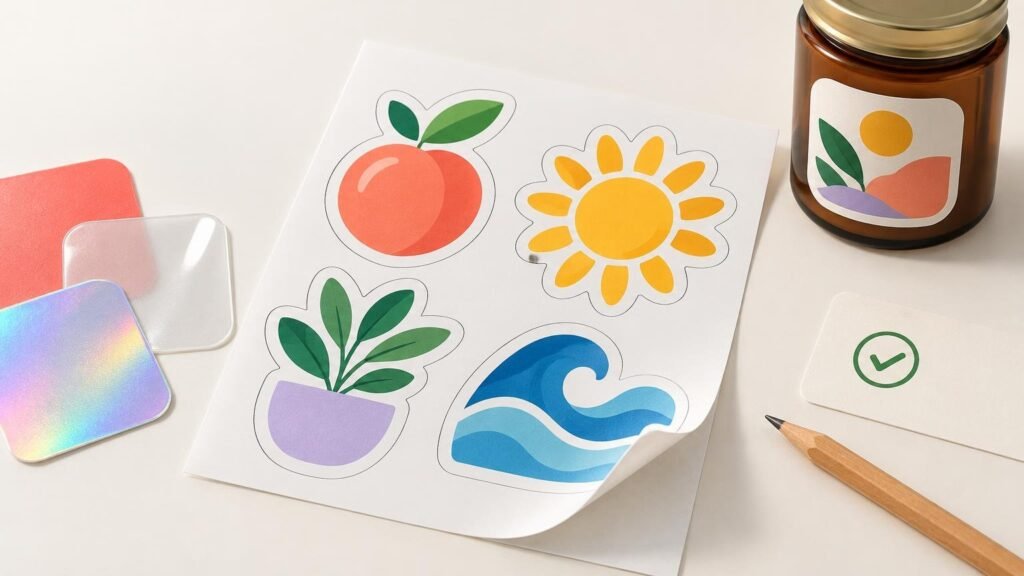
A high-quality custom sticker printer does more than produce a sharp sample image. It helps you choose the right construction, catches preventable artwork problems, shows the proposed cut before production, and explains what happens if the finished order falls outside its quality standards.
Start with your actual use case. A decorative laptop sticker, a product label applied to hundreds of jars, and a clear window decal do not need the same material or ordering workflow. Once you know the surface, environment, application method, expected lifespan, and final size, you can judge whether a printer is asking the right questions.
Look beyond the word “vinyl”
Material names are only the beginning. A sticker construction can include a printable facestock, adhesive, ink, laminate or coating, and release liner. Each part affects how the finished piece prints, applies, and holds up in its intended setting.
A capable printer should be able to explain which product fits your application without treating every sticker as interchangeable. Ask whether the material is intended for indoor decoration, routine product packaging, frequent handling, or extended outdoor exposure. If the sticker will go on a bottle, jar, mailer, retail box, or curved container, identify that surface before ordering.
Technical material documentation shows why application details matter. A 3M polypropylene label-material data sheet, for example, specifies adhesive type, adhesion on tested substrates, minimum application temperature, temperature resistance, and humidity performance. It also recommends proofing trials when introducing a new ink system or machine. The lesson is not that one material works everywhere; it is that material suitability depends on the complete construction and application conditions.
Also distinguish stickers from packaging labels. Individually cut vinyl stickers work well for handouts, merchandise, and promotional inserts. Roll labels are normally better suited to repeated packaging application. If that distinction is unclear, review this guide to custom stickers versus custom labels before comparing printers.
Check whether the artwork guidance is production-aware
A printer should explain what happens to your file after upload. Vague requests for a “high-resolution image” are less useful than guidance tied to the final physical size. A small raster image may look clean on a phone but become visibly soft when enlarged for printing.
YouStickers recommends 300 DPI at final print size for raster artwork, PNG when raster transparency is required, and vector PDF, SVG, or AI files for scalable logos and text. It also advises leaving important artwork away from the cut edge and outlining or embedding fonts where appropriate. These are practical checks because they address the file at the size and shape that will actually be produced.
The Adobe explanation of image size and resolution notes that pixel dimensions, physical print size, and PPI are mathematically connected. Changing the resolution setting without resampling changes the physical print size; it does not create new image detail. Adobe describes 300 ppi as typical for professional printing and advises against unnecessary upsampling.
Before uploading, use a print-ready sticker file checklist to inspect resolution, cutlines, margins, bleed, and safe zones. A strong printer may repair or flag a marginal file, but a helpful production team cannot recover detail that never existed in the source artwork.
Treat the proof as a production checkpoint
A digital proof should show more than a thumbnail of the design. Check the final dimensions, shape, cutline, border consistency, orientation, transparency, and distance between important elements and the trim. For clear, holographic, chrome, or similar specialty materials, confirm which areas should receive white underprinting and which should reveal the base material.
YouStickers states that it provides an online proof and can create a cutline when the customer does not supply one. Its proofing workflow is intended to show the layout, cutline or border, shape, and placement before production. A customer-supplied vector cut path can provide greater control, but printer-created cutlines are useful when the artwork is not production-ready.
Do not mistake proof approval for an exact color guarantee. Screens emit light, while printed color depends on inks, material, finish, lighting, background, and color management. YouStickers specifically notes that RGB-to-CMYK conversion and the chosen substrate can affect perceived color. If a brand color is critical, ask what color-matching process or physical sample options are available rather than relying only on an onscreen preview.
Read the quality policy before you need it
A useful quality policy separates genuine production defects from normal process variation. That distinction tells you whether the printer has defined standards or merely promises “premium quality.”
| What to examine | What a useful answer should clarify |
|---|---|
| Printing | How the printer handles unintended blur, banding, smears, or missing artwork |
| Cutting | Expected cutting tolerance and what qualifies as materially off-center |
| Color | Normal screen-to-print and run-to-run variation versus a severe unintended error |
| Finishing | How laminate defects, incorrect finishes, or specialty-material issues are assessed |
| Dimensions and format | What happens if the size, shape, or cut type differs from the approved order |
| Remedy | Reporting deadline, evidence required, and whether reprint, replacement, or refund may apply |
YouStickers’ published standards identify unintended blur, production smears, missing artwork, materially off-center cuts, incorrect dimensions or cut type, and laminate defects as potential production issues. The same standards distinguish minor border variation, small cutting shifts, modest run-to-run color variation, and material-related color effects as normal variation. Its stated remedy policy asks customers to report eligible problems within 14 days of delivery, although that policy does not establish how frequently problems occur.
Evaluate the ordering workflow, not just the unit price
Price matters, but compare like with like: the same dimensions, quantity, material, finish, cut style, proofing option, and shipping basis. A low headline price can become less attractive if the product construction is unsuitable or the proofing process is rushed.
Ask when the production clock starts, whether proof approval is required, how revisions affect timing, and whether approved artwork and cutlines are retained for reorders. YouStickers states that it prints, cuts, finishes, packs, and ships orders in-house from Springville, Utah, and retains approved artwork and cutlines to simplify reorders or size changes. These are workflow facts, not automatic proof of better output, but knowing who controls each production stage helps you ask better questions.
When reviewing custom sticker and label printing options, apply the same standards to every supplier: verify material construction, artwork support, proof controls, production tolerances, and remedy terms for the exact product you intend to order.
Use a small first order when the stakes are high
For a new design, specialty material, unfamiliar surface, or color-sensitive project, a smaller initial order can reveal problems before they become expensive. Apply the finished pieces to the real surface and inspect readability, edge behavior, contrast, finish, and application speed under realistic conditions.
The best printer for your project is the one whose material, workflow, and standards match the job—not simply the one with the glossiest product photo. Choose a supplier that explains the construction, accepts workable artwork, provides a meaningful proof, defines normal tolerances, and offers a clear path for resolving genuine production errors.
Frequently Asked Questions
What artwork resolution should I use for custom stickers?
For raster artwork, aim for 300 DPI at the final printed size. Changing the resolution setting without resampling does not create missing image detail, so start with adequate pixel dimensions rather than enlarging a small file.
What should I inspect on a digital sticker proof?
Check the final dimensions, shape, cutline, border consistency, orientation, transparency, and spacing between important artwork and the trim. For specialty materials, also confirm where white underprinting should appear. YouStickers says its proof shows the layout, cutline or border, shape, and placement before production.
Does approving a digital proof guarantee exact printed color?
No. Screen display, RGB-to-CMYK conversion, material, finish, lighting, background, and color management can affect perceived color. If a brand color is critical, ask about physical samples or the printer’s color-matching process.
Should I order individual stickers or roll labels?
Individually cut stickers suit handouts, merchandise, and promotional inserts. Roll labels are generally the better format for repeated packaging application on products such as bottles, jars, bags, pouches, and boxes.
What should a useful sticker quality policy explain?
It should distinguish production defects—such as unintended blur, missing artwork, materially off-center cuts, incorrect dimensions, or laminate defects—from normal variation such as minor border shifts and modest color differences. It should also state the reporting deadline, required evidence, and available remedies.
