
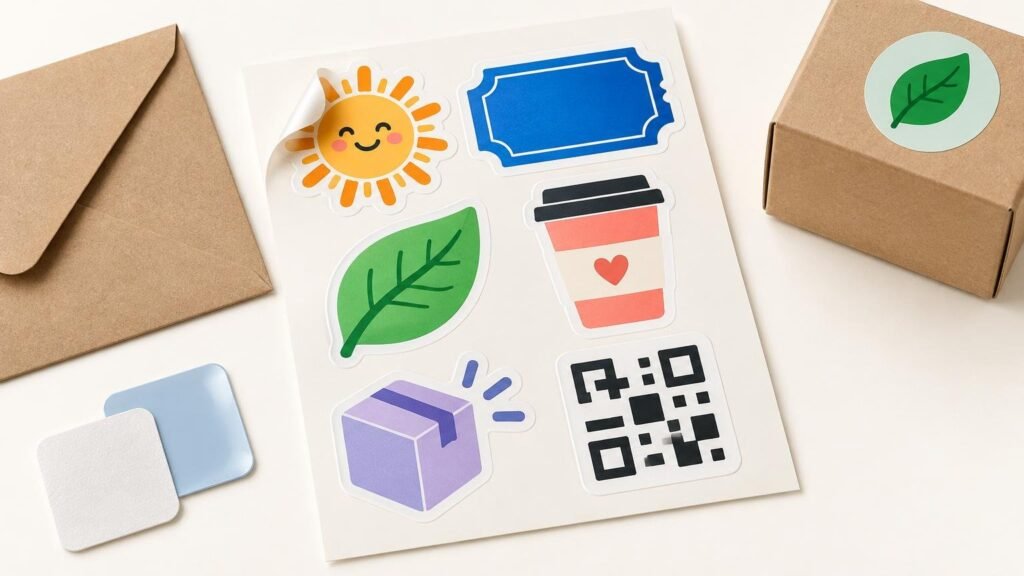
Sticker sheets work especially well when a business or event needs to distribute several small designs as one organized item. Instead of handing someone three loose stickers, you can place a logo, mascot, slogan, icon and QR-code sticker on a shared backing sheet. Each design is kiss cut through the sticker material but not through the liner, so recipients can peel the pieces individually.
That format makes sheets useful for conference handouts, customer mailers, employee kits, product launches, school events and creator merchandise. The main production challenge is not simply fitting as many graphics as possible onto the page. Every design must remain large enough to read, easy to peel and separated far enough from neighboring cutlines to manufacture cleanly.
When a sticker sheet is the right format
Choose a sheet when the group of stickers has more value together than separately. A software company might combine its logo with five product icons. A festival could include a date mark, venue illustration and several sponsor-free decorative designs. A bakery might offer a branded sheet containing a cupcake, loaf, coffee cup and small thank-you seal.
The shared liner also gives you space for printed branding, instructions or a visual theme. It keeps small pieces from becoming scattered in an event bag or shipping box, and staff can count one sheet rather than several loose stickers during fulfillment.
YouStickers currently describes its sheets as durable vinyl with matte or gloss laminate. Its product page allows identical or mixed designs and positions the format for branded handouts, kits, mailers and assortments. Those material and finish details are current first-party specifications, so confirm the selected options when ordering.
When to choose another format
Individual stickers are usually better when every recipient needs one large design, when pieces will be sold separately or when staff want to hand out different designs on demand. Sticker packs suit a curated set of loose pieces. Roll labels are built for repeated application to packaging such as jars, bottles, bags and boxes rather than presentation as a collectible sheet.
If your project does not benefit from a shared backing sheet, explore a broader range of custom sticker, label and material options before committing to the format. The delivery method should match the job: sheets for grouped designs, individual pieces for flexible distribution and rolls for an application workflow.
Plan the sheet around the recipient’s experience
Start by deciding what the recipient should do with the sheet. A promotional giveaway should be visually interesting enough to keep. An onboarding kit may need recognizable icons for laptops, notebooks or office equipment. A product insert might combine decorative stickers with a small reorder reminder.
Give the strongest design the most space rather than making every piece equal. A primary logo could occupy half the sheet while supporting icons fill the remaining area. If everything is tiny, the sheet may look abundant on screen but become frustrating in hand. Fine lettering, narrow gaps and delicate protrusions are particularly vulnerable at small physical sizes.
The current YouStickers selector lists several preset sheet sizes, from 6 × 4 inches through 11 × 8.5 inches, plus custom dimensions. It also currently displays quantities beginning at five sheets. Treat those as current product-page options rather than permanent limits, because selectors and availability can change.
Prepare each design at its final printed size
Raster images such as PNG and JPG files are made from pixels. Enlarging a small raster graphic can expose blurry edges and soft text. YouStickers recommends 300 dpi at the final print size for sticker-sheet artwork. That final-size condition matters: an image that is adequate at two inches wide may not remain sharp when enlarged to four inches.
Vector artwork uses paths rather than fixed pixels and is generally preferable for scalable logos, icons and lettering. PDF, SVG and AI can contain vector information, although placing a low-resolution image inside one of those files does not magically turn it into a vector. PNG is the more useful raster choice when a design requires transparency, while JPG cannot preserve a transparent background. For a deeper file comparison, see PNG, SVG and PDF options for sticker printing.
Keep editable source files until the proof is approved. Convert type to outlines or embed the fonts where appropriate, and check that thin strokes will still be visible at the actual printed size. Viewing a layout zoomed to 400 percent can hide practical problems, so also inspect it near its intended physical dimensions.
Leave room for cutlines, bleed and peeling
A cutline is the path the cutting equipment follows around each sticker. Bleed extends color beyond that path so a slight production variation does not reveal an unintended white edge. A safe area keeps important text and logo details inside the cutline, away from normal cutting tolerance.
The current sticker-sheet page requests about 1/8 inch of bleed beyond each cutline and about 1/8 inch between neighboring cutlines. A separate site FAQ presents a different general planning rule, so use the product-specific guidance as the starting point and confirm the actual spacing in the proof.
Avoid squeezing graphics together merely to add one more piece. Adequate space helps preserve separate contour paths and gives the user enough liner around a sticker to lift its edge. If you are building the production file yourself, the print-ready sticker file checklist explains cutlines, margins, resolution and safe zones in more detail.
You do not necessarily need to create production-ready contour paths. YouStickers says it can arrange uploaded designs, create cutlines and provide an online proof before production. Customers can also use a template or upload multiple designs in a ZIP file for layout.
Treat QR codes and barcodes as functional graphics
A QR code linking to an event schedule or campaign page can be useful, but it should not be treated like a decorative texture. Its final dimensions, surrounding blank space, contrast and printed surface all affect whether it can be scanned. Test the destination before ordering, and avoid printing a large quantity if the URL is likely to change.
For retail barcodes, GS1 US barcode guidance calls for high-resolution printing, dark bars on a light background, clear quiet zones and preservation of the symbol’s proportions. Arbitrarily stretching, compressing or truncating a barcode can interfere with scanning.
QR-code requirements vary with the encoded information, print resolution, available area and scanning environment. GS1 Ireland’s guidance for GS1-enabled QR codes specifies a quiet zone of four modules on every side, although its retail examples should not be treated as universal dimensions for every marketing QR code.
Transparent backgrounds and highly reflective materials can also create barcode scanning problems, according to GS1 Australia. If scanning is operationally important, use strong contrast, review the final physical size in the proof and test a production sample in the actual lighting and scanning conditions.
Review the proof as a production checkpoint
A proof is where a collection of separate digital designs becomes one physical product. Review it at the ordered sheet dimensions, not only as a large image on your monitor. The proof should show how the graphics are arranged, where each cutline falls and how much border or spacing surrounds every piece.
- Confirm the final width and height of the complete sheet.
- Check every sticker’s approximate physical size and readability.
- Inspect cutline shapes, especially around narrow points and small interior gaps.
- Verify that logos and important text sit comfortably inside the cutlines.
- Look for consistent borders where the design intentionally uses them.
- Confirm transparent areas and any intended specialty-material effects.
- Scan every QR code and verify its destination.
- Check orientation, spelling, dates, phone numbers and event details.
- Make sure no design was omitted, duplicated or assigned the wrong size.
Estimate quantity and schedule backward from the event
For events, estimate attendance first and then decide who will actually receive a sheet. A sheet placed in every registered attendee bag requires a different quantity from an optional giveaway at a booth. Add copies for speakers, staff, media kits, replacements and post-event mailers, but avoid an excessive buffer when the artwork contains a date or short-lived campaign link.
Businesses using sheets as package inserts can base the first run on expected order volume during the artwork’s useful life. Evergreen brand icons can justify a larger run than a seasonal promotion. The sticker quantity guide for events and businesses provides a fuller framework for estimating demand and avoiding unusable leftovers.
Build the schedule around proof revisions, production and carrier transit rather than relying on one headline turnaround figure. The sticker-sheet page currently says proofs are typically sent within one business day and advertises four-day standard production, while the shipping policy separately lists processing and carrier transit estimates. Because those published timelines are not fully aligned and delivery can vary, neither should be treated as a guaranteed event deadline.
Make every spot on the sheet earn its place
The best business or event sticker sheet is not necessarily the one with the most pieces. It is the one that feels intentional at its finished size: a clear primary design, useful supporting graphics, comfortable cut spacing and artwork that remains readable after printing.
Choose sheets when several designs belong together, switch to individual stickers or rolls when the workflow calls for them, and inspect the proof as if the finished product were already in your hand. That final check is where you catch the tiny type, crowded cutline or unscannable code before hundreds of copies reach an event table or customer package.
References
- Custom Sticker Printing | Quality Vinyl | YouStickers
- Custom Roll Labels – YouStickers
- Sticker Sheets – YouStickers
- Frequently Asked Questions – YouStickers
- Shipping Policy – YouStickers
- Barcode Placement & Printing Guidelines | GS1 US
- How big should a QR Code powered by GS1 be?
- Creating and printing barcodes | GS1 Australia
