
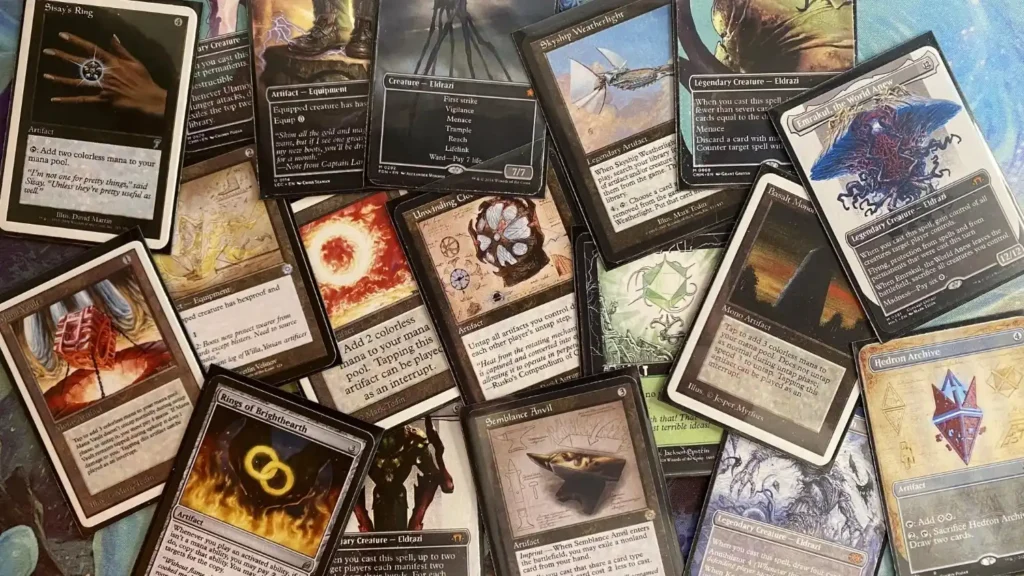
TLDR: If you want the simplest path, you either (1) buy ready-made singles from Proxy King, or (2) paste a deck list into a print-on-demand tool like PrintMTG or Printiverse. If you want to design your own custom cards, start on MTG.cards, then print.
If you are wondering how to order custom MTG proxy cards online, you are not alone. Most people get stuck on the same two things: picking the right site, and not messing up the card list.
This guide walks through the whole process and compares four options: Proxy King, Print MTG, MTG.cards, and Printiverse.com.
Step 1: Decide what you are actually ordering
Before you click “add to cart,” get clear on the goal. It changes which site makes sense.
- Just need staples for Commander night: you probably want realistic singles you can grab fast.
- Printing a whole deck or cube: you want deck-list upload and bulk pricing.
- Custom cards or custom art (house rules, meme commanders, custom tokens): you want a card maker, templates, and high-res output.
Also decide the basics:
- Singles vs full deck
- Normal cards vs tokens
- How picky you are about print feel
- When you need them
Step 2: Build a clean card list (this saves you money)
Most ordering issues are card-list issues.
Do this once, and every tool becomes easier:
- Export your deck list from your deckbuilder in a plain text format.
- Confirm quantities (yes, even basics and tokens).
- Watch for double-faced cards and special versions.
- If you care about a specific art or frame, note it now.
If you skip this step, you will end up re-ordering cards you already paid for. Ask me how i know.
Step 3: Pick your ordering path
Here is the simple split.
Path A: Buy ready-made proxy singles (fast, simple)
You pick cards like you are shopping for anything else. This is the Proxy King style.
Path B: Print on demand from a deck list (best for full decks)
You paste or upload a list, choose versions and quantities, then they print the whole batch.
This is the PrintMTG and Printiverse style.
Path C: Design your own custom cards (best for custom art)
You use templates, build a card face, export high-res files, then print.
This is the MTG.cards style (and it can pair well with print-on-demand).
How to order from Proxy King
Proxy King is the easiest option when you want realistic singles and you do not want to deal with print files.
Basic flow:
- Browse the shop and search for the cards you want.
- Add singles to your cart.
- Checkout and ship.
From our real orders: the proxies were high quality, the turnaround was fast, and the cards looked realistic in a sleeved deck. That is why people keep coming back to Proxy King for “I just need these 12 cards” orders.
When Proxy King makes sense:
- You want a pile of staples without building a print file.
- You care a lot about realism and consistency.
- You want a straightforward shopping-cart experience.
How to order from PrintMTG
PrintMTG is built around the question: “How fast can i print a whole deck?”
Basic flow:
- Paste or upload your deck list.
- Choose the quantity of each card and the set version you want.
- Review the order (bulk orders get cheaper).
- They print and ship.
This is the cleanest workflow for full Commander decks, cubes, or big testing batches. It is also a good choice if you want print-on-demand behavior instead of shopping for singles one at a time.
If you are deciding between Proxy King and PrintMTG, here is the blunt version:
- Proxy King is great for realistic singles.
- PrintMTG is great for print on demand from a list.
How to order from MTG.cards
MTG.cards is the best starting point when your goal is custom design.
Basic flow:
- Choose a template (Modern, Vintage, Box Topper, etc.).
- Add name, mana cost, rules text, and upload artwork.
- Adjust the layout until it looks right.
- Download a high-res version, or order prints.
This is the route for:
- custom commanders
- custom tokens
- funny alt-art designs
- playgroup-specific house cards
If your custom project is big, MTG.cards is a great “design hub.” You can get the card looking right first, then print it the way you want.
How to order from Printiverse.com
Printiverse is another strong print-on-demand option, especially if you like having two ways to order: using a card finder or uploading your own files.
Basic flow:
- Use the card finder to upload a deck list, browse sets, or search cards.
- Or upload your own front and back designs.
- Add to cart and checkout.
If you are already thinking in “print production” terms, Printiverse will feel familiar. It is closer to a print shop experience than a simple single-card store.
Step 4: Do a fast proofing check before you pay
This is where most people should slow down for 60 seconds.
- Are any cards misspelled in your list?
- Did you accidentally order 4 copies of something that should be 1?
- Are double-faced cards handled correctly?
- Did you pick the right versions for the cards you care about?
- Are your custom uploads high resolution and not blurry?
If you are uploading art, keep your text and key elements away from the edges. Cutting tolerances are real.
Step 5: Know the rules and be chill about proxies
This is the part that keeps you out of trouble.
- Sanctioned events require real cards. Proxies are only allowed in specific situations when issued by a judge for the event.
- Casual play is a social contract. Talk to your group. Most Commander tables are fine with proxies if you are upfront.
Also, do not treat proxies like collectibles you can flip. Order them for playtesting, casual nights, and fun custom builds. Keep it honest.
If you want two related reads on Printiverse, these are worth a click:
- Crossover Fatigue Meets Franchise Lessons: What Magic and Disney Are Getting Wrong About “More”
- Android Netrunner LCG: Overview and Current Status
Conclusion
Once you understand the three paths, ordering gets easy.
- Use Proxy King when you want realistic singles with the least effort.
- Use PrintMTG when you want print-on-demand from a deck list and bulk savings.
- Use MTG.cards when you want to design custom cards and control the look.
- Use Printiverse.com when you want a print-shop style workflow with deck list tools or uploads.
And if you only remember one sentence: how to order custom MTG proxy cards online mostly comes down to having a clean list and picking the tool that matches your goal.

